Protect SLAs in 30 Days With Overflow Call Routing Playbook for Ops

Overflow call routing automatically redirects inbound calls when a queue can’t serve them, most often to a backup queue, a callback offer, voicemail, or an external number. The three moves most teams should make first: stand up a backup queue with delayed eligibility, offer callback when estimated wait crosses your service promise, and route true dead-ends to voicemail instead of a hangup. Treat overflow as queue-state policy, not a one-time IVR setting, and tie every trigger back to the SLA it is designed to protect.
TL;DR:
- Overflow call routing relies on five distinct queue exit events, each requiring tailored actions to ensure appropriate caller experience and reporting accuracy.
- When a queue reaches its size or wait time thresholds, calls should divert to secondary queues, callback offers, or voicemails based on specific trigger conditions.
- Routing to voicemail and callbacks must be tested regularly to prevent dead air, missed SLAs, or callback failures caused by unreachable backup numbers.
- Dynamic thresholds and skill-based overflow policies outperform fixed rules, providing better flexibility and responsiveness to real-time queue conditions.
- Implementing structured overflow and callback workflows that integrate telephony, CRM, and automation helps scale operations without losing context or compliance.
Table of Contents
- What Triggers Overflow Call Routing
- Mapping Overflow Actions to the Right Destination
- Setting Thresholds That Protect Customer Fit and SLAs
- Building the Overflow Runbook: Callbacks, Text Failover, and Testing
- How RevRing Turns These Rules Into Working Playbooks
- What To Fix First: A 30-Day Priority List
- Get Overflow Callbacks and Compliance Hooks Built In
- Sources
- FAQ
What Triggers Overflow Call Routing
Overflow call routing isn’t one event. It’s a response to five distinct queue exits, and mixing them up is how teams end up misrouting calls or misreading their own reports.
Two exits fire before a caller ever waits. Queue_full happens when a queue hits its configured maximum number of waiting callers, evaluated the moment a new call tries to enqueue. Estimated wait time (EWT) works the same way. If the predicted wait exceeds a threshold you set, the platform can deflect the caller immediately rather than let them sit in line. This pattern, Sip treats as a distinct pre-enqueue decision.
Three more exits happen while the call is already waiting:
- Timeout — the caller has waited past a configured
max_wait_secand gets pulled out automatically - Abandon — the caller hangs up before an agent connects, which still needs a destination for reporting if you want to follow up
- No_agents — nobody is logged into the queue at all, common after hours or during a staffing gap
Common trigger parameters include max_queued (how many callers a queue tolerates before it’s full), ewt_threshold_sec, max_wait_sec, and the agent logged-in state itself. Zendesk’s overflow documentation frames overflow as calls that can’t be taken because agents are offline, decline, miss the call, or the queue’s wait or size limits are exceeded. Getting these exits right matters because a caller deflected at enqueue has a very different experience than one who waited eight minutes and then abandoned. Lump them together in your dashboards and you’ll never know which problem to fix.
Mapping Overflow Actions to the Right Destination
Once you know which exit fired, the harder question is where the call should actually go. Microsoft’s Dynamics 365 overflow guidance lists the core destination types: direct callback, transfer to a secondary queue, transfer to an external number, voicemail, or ending the call with a message. The mistake most operators make is applying the same destination to every exit type instead of matching action to cause.
Here’s a practical mapping that holds up across insurance, healthcare, and real estate intake lines:
- No_agents routes to an after-hours flow, ideally one that offers callback scheduling instead of a dead voicemail box.
- EWT breach routes to a callback offer or deflection message before the caller ever waits, since you already know the wait will exceed your promise.
- Timeout routes to voicemail or a callback queue, since the caller has already invested wait time and shouldn’t lose their place entirely.
- Queue_full routes to a secondary queue if agents are available there, or to callback if not.
- Abandon doesn’t get a live-call action, but it should still trigger a follow-up task if the caller left contact details.
A few operational caveats matter here. Failed transfers to external numbers are a silent risk. If the backup number is busy, unreachable, or disconnected, a caller can land in dead air unless you configure a secondary failure path. Toll-free outbound restrictions can also block a transfer if your backup number is on a carrier that limits toll-free termination, so test the actual route, not just the number’s validity.
Pro Tip: Call your own backup and overflow numbers monthly, not just when you set them up. Carrier changes and expired forwarding rules break more overflow paths than bad configuration does.
Setting Thresholds That Protect Customer Fit and SLAs
The instinct when a queue backs up is to dump overflow into every available agent immediately. Resist it. Amazon Connect’s overflow best practices recommend delayed eligibility instead, giving a backup group a window (commonly 120 to 300 seconds) before it becomes eligible for overflow traffic. That delay protects the caller’s fit with their originally intended skill group while still preventing an indefinite wait.
Skill-based overflow matters just as much as timing. A caller in a specialized queue should overflow to the next-best-matched group with appropriate skill to maintain resolution quality. Priority or SLA-bound callers, such as VIP accounts or callers already promised a callback window, need their own overflow rule rather than the generic queue action, since a blanket policy can quietly violate a commitment you already made, as detailed in designing incident escalation policies that actually reach someone.
A few thresholds are worth testing and tuning rather than setting once and forgetting:
- Estimated-wait threshold that triggers deflection or callback offers
- Maximum queued callers before a queue is marked full
max_wait_secbefore a timeout exit fires- Ring-timer alignment across primary and backup groups, so a call doesn’t skip an available agent because timers are out of sync
Operations research on queue-state routing supports the same conclusion: policies that adjust eligibility dynamically outperform fixed-threshold rules, because they respond to real conditions instead of a static number set months earlier, according to the same Amazon Connect documentation.
Reporting deserves equal attention. Preserve the original queue context on every overflow event rather than overwriting it with the destination queue. Losing that context is one of the most common ways staffing analysis goes wrong. If your reports can’t tell you a call originated in Claims and overflowed to General, you can’t staff Claims correctly next quarter.
Building the Overflow Runbook: Callbacks, Text Failover, and Testing
A callback promise is an operational commitment, not a courtesy message. Build it with structure:
- Record the promised callback window as a structured field in your CRM or platform, not a note in a ticket.
- Assign one owner queue for that callback so it doesn’t get picked up by two agents at once.
- Confirm the channel (voice or text) before the callback fires, and stop all other outreach once it’s booked or the caller opts out.
- Dedupe by identity and current state, not by ticket number, so a caller who calls back manually doesn’t trigger a second, redundant callback.
Text-back failover follows a similar discipline. Trigger it only on specific state changes (a missed callback window, a repeated abandon), always confirm the next step in the message itself, and dedupe against the same identity and state fields used for voice callbacks. Zendesk’s workflow guidance on omnichannel queues makes the same point: treat the callback as a tracked commitment, not a fire-and-forget message.
Every overflow destination needs a tested failure path. A transfer with no fallback becomes a silent dead end the moment the receiving number is busy or disconnected, a risk RingCentral’s developer documentation flags directly.
Pro Tip: Run a monthly test pass covering ring-timer alignment, at least one deliberately failed transfer, and a spot check on overflow reporting tags. Thirty minutes of testing catches the gaps that cost you a week of missed SLAs.
How RevRing Turns These Rules Into Working Playbooks
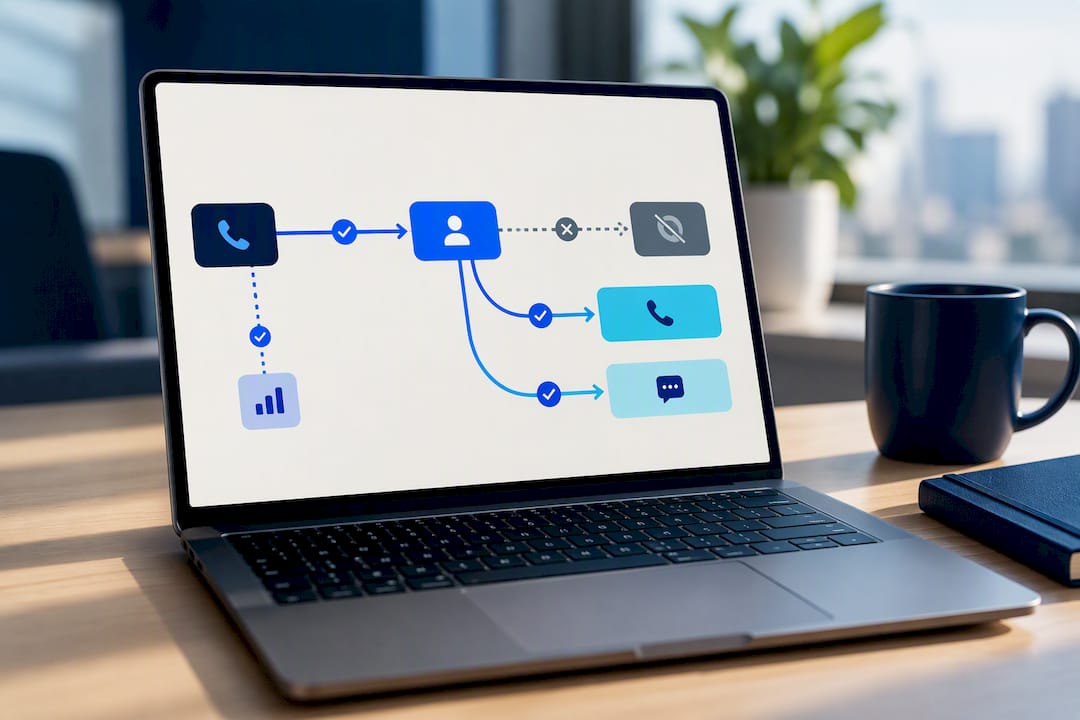
The overflow rules above are only useful if a platform actually enforces them without a developer rebuilding logic every time a queue changes. RevRing connects telephony, CRM, and automation into one system so overflow policy doesn’t live in three disconnected tools. Industry playbooks for insurance, healthcare, and real estate teams encode the queue-state logic this article describes: delayed eligibility for backup groups, SLA-bound callback tasks with a single owner, and compliance hooks for TCPA and HIPAA BAA requirements built into the workflow rather than bolted on after.
Operators using this structure have scaled from a dozen agents to well over a hundred without rebuilding their overflow logic from scratch, keeping callback ownership and reporting context intact through that growth.
What To Fix First: A 30-Day Priority List
Test every backup number and transfer path this week, not next quarter. Set an EWT threshold that triggers callback before wait, to improve the caller experience. Create one owned callback task type with a deduped field for the promised window. Align ring timers across primary and backup groups. Skip these and voicemail becomes your entire overflow strategy, which it was never meant to be.
— Marc
Get Overflow Callbacks and Compliance Hooks Built In
Most teams patch overflow together with a forwarding number and a voicemail box, then wonder why callback follow-up falls through the cracks. RevRing is built as the alternative to that patchwork: overflow, callback ownership, and compliance checks live in one connected system instead of three disconnected tools you have to reconcile by hand.
Every plan, from Starter at $39.99 per month per seat up to Pro at $89.99, includes the CRM connectivity and automation layer that makes SLA-bound callbacks trackable rather than a note in a spreadsheet. If you want to see how the playbooks map to your existing queue setup before switching anything over, the product walkthrough shows the workflow end to end. Ready to see it against your own call volume? Check current plans and seat pricing and get a demo scheduled this week.
Sources
For exact configuration steps, consult the platform’s own documentation rather than general guidance. Zendesk’s overflow and after-hours routing guide covers configuration samples. SIP.IO’s exit destination docs detail queue exit types. Before enabling any automated callback or text, review FCC TCPA rulemaking on consent and revocation, and see our TCPA compliance guide for agent-facing detail.
- Managing overflow calls and after-hours call routing
- Manage overflow in Dynamics 365 Customer Service
- Sip
- Overflow routing best practices (Amazon Connect examples)
FAQ
What Does Call Routing Mean?
Call routing is the set of rules a phone system uses to decide which agent, queue, or destination handles an inbound call. Overflow call routing is a specific layer of that logic that activates only when the primary queue can’t serve the caller, as Zendesk’s routing documentation explains.
What Are the Basic Steps of the Call Flow Process?
A typical call flow moves through greeting, identification or IVR selection, queueing, agent connection or overflow evaluation, call handling, and disposition or callback logging. Overflow evaluation typically happens at two points: once at enqueue (checking queue_full or EWT) and again while the caller waits (checking timeout or no_agents), per SIP.IO’s exit model.
How Do I Route a Call to Voicemail?
Voicemail is configured as one specific overflow destination, usually tied to the timeout or no_agents exit rather than every overflow event. Most platforms let you assign voicemail as a fallback only after a callback or transfer option has failed, which keeps voicemail from becoming the default outcome for every busy period.
What Is the Concept of Overflow in a Call Center?
Overflow describes what happens when a queue can’t serve a caller within its own limits, whether that’s agent availability, wait time, or queue size, and the call needs a different destination. Zendesk and Microsoft’s Dynamics 365 documentation both frame it as a queue-state condition, not a single feature, which is why the strongest designs treat it as policy rather than a fallback setting.
Does RevRing Handle Overflow Call Routing?
RevRing’s platform includes smart lead routing and CRM connectivity that support structured overflow handling, including callback ownership and industry-specific playbooks for insurance, healthcare, and real estate teams. Exact configuration options and current pricing are available on the RevRing pricing page.