Avoid Conflicts Exposure: Legal Intake Automation for Law Firms

Legal intake automation converts inquiries into qualified matters using integrated forms, conversational triage, and CRM workflows, run under lawyer supervision with data minimization built in from the first field. Done right, it speeds response, raises the share of leads that turn into real matters, and cuts down on the intake calls that quietly vanish. Done wrong, it collects too much too soon and creates conflicts exposure before a lawyer ever looks at the file. ABA Formal Opinion 512 and FTC data-minimization guidance set the guardrails that make the difference.
TL;DR:
- Intake automation should prioritize minimal data collection early, only gathering information necessary for conflicts checks before deeper narratives are recorded.
- Supervision by lawyers remains essential for conflicts verification, ethical review, and final engagement decisions, as mandated by ABA Formal Opinion 512.
- Combining form-based and conversational triage tools depends on practice area and volume; forms suit high-volume, regulated practices, while conversational tools fit relationship-driven matters.
- Security safeguards like encryption, access controls, audit logs, and clear retention policies are non-negotiable to prevent disclosure risks and meet FTC and ABA standards.
- Response time from initial contact to booking greatly impacts lead conversion rates, with faster rapid replies and structured qualification being critical.
Table of Contents
- What an AI-Enabled Intake Process Looks Like From First Contact to Matter Creation
- Solution Categories: Forms, CRMs, Calendaring, and Chatbots Compared
- Conversational Triage vs. Form-Based Intake: Choosing and Combining Patterns
- Best Practices and Safeguards for Ethical, Secure Intake
- How Intake Needs Differ by Firm Size and Practice Area
- Building the Playbook: A Practitioner’s Pilot Path
- What Firms Get Wrong About Timing and Governance
- How RevRing Fits Into Your Intake Workflow
- Where to Verify the Ethics and Security Details
- Sources
- FAQ
What an AI-Enabled Intake Process Looks Like From First Contact to Matter Creation
A modern intake flow starts wherever the prospective client happens to be: a web form, an email with attachments, a phone call answered by an AI receptionist, a chat widget, or a message routed through Slack or Teams. Each entry point feeds the same pipeline instead of its own silo.
From there, automation takes over the repetitive steps. A triage layer qualifies the inquiry, flags urgency (a statute of limitations question moves differently than a general consultation request), and routes it to the right practice group. It also captures the minimal data needed for a conflicts check, nothing more, before any substantive narrative is collected.
What automation typically handles well:
- Scheduling: booking a consultation slot the moment a lead clears initial triage.
- Document collection: requesting and organizing intake forms, IDs, or supporting records.
- Matter creation: populating the CRM or matter management system with structured data.
- Automated communications: confirmation emails, reminders, and status updates.
Humans still have to own the parts that carry ethical weight. Conflicts verification against the firm’s actual database, not just the intake tool’s flagged fields, requires a person. So does the ethical review of anything the AI has summarized or drafted, and the final engagement decision itself. Under ABA Formal Opinion 512, that supervision is not optional. It is the mechanism that keeps automated intake inside the existing Rules of Professional Responsibility rather than outside them.
Solution Categories: Forms, CRMs, Calendaring, and Chatbots Compared
Firms rarely need one tool. They need the right combination of categories, each solving a different piece of the intake problem.
- Digital intake forms. Conditional logic lets a form branch based on answers, so a personal injury inquiry and a business dispute inquiry see different fields. Forms are strong for conflicts-first screening because they force structured, minimal data capture before any free-text narrative appears.
- Legal CRM and matter management systems. These give a firm one continuous record from first contact through billing, which matters most for firms that want a single source of truth rather than data scattered across email and spreadsheets.
- Calendaring integrations. When booking is tied directly to intake qualification, prospects convert to consultations immediately instead of waiting for a callback, and automated reminders cut down on no-shows.
- AI chatbots and receptionists. These capture conversational nuance, the “why now” behind an inquiry, that a static form misses. That depth comes with a trade-off: more free-form data means more supervision and tighter privacy controls are needed before any of it reaches a case file.
- Inbox and platform intake. For in-house legal teams and firms fielding requests through Slack or Teams, this category matters because requests arrive through channels a client-facing form was never built for.
Pro Tip: Start with the form and the conflicts check. Add conversational depth only after the first screen has cleared, never before.
Market write-ups on intake tooling in 2026 generally group these into three buckets: practice-management-bundled platforms, standalone form-and-CRM tools, and conversational triage platforms. Each optimizes for a different outcome, continuity, automation depth, or first-interaction quality, so the choice depends on which of those three a firm values most for its caseload.
Conversational Triage vs. Form-Based Intake: Choosing and Combining Patterns
Conversational triage and form-based intake solve the same problem from opposite directions. A form asks fixed questions in a fixed order, which is fast to build, easy to audit, and predictable for compliance review. Conversational triage, whether through a chatbot or an AI receptionist, adapts its questions based on what the prospect says, which captures more nuance but is harder to constrain to conflict-relevant fields alone.
Rules of thumb for choosing:
- High-volume, regulatory-sensitive practices (personal injury, immigration) generally favor forms first, since volume rewards consistency and regulatory caution rewards predictability.
- Complex or relationship-driven matters (corporate, estate planning) often benefit from conversational triage, where a rigid form would miss context a lawyer needs before the first call.
- Firms new to automation should default to forms, then layer in conversational elements once conflicts screening is solid.
The hybrid pattern most firms land on: a short, conflicts-focused form as the mandatory first step, followed by an optional conversational flow for prospects who want to explain more before booking. This keeps the conflict-relevant data minimal and structured while still letting the prospect volunteer detail when it helps.
Rapid response is one of the biggest levers in intake conversion, and market roundups consistently point to speed-to-contact as the metric most correlated with whether a lead ever becomes a client. Track it alongside qualified-lead rate and booked-consultation rate, the three numbers that tell you whether your intake pattern is actually working rather than just looking efficient. RevRing’s own speed-to-lead benchmarks offer a useful reference point for setting response-time targets.
Best Practices and Safeguards for Ethical, Secure Intake
The safeguards here are not optional extras. They are what separates automation that helps a firm from automation that creates exposure.
Start with lawyer duties. ABA Formal Opinion 512 requires supervision of AI tools, verification of their outputs, protection of confidential information, and written policies with staff training behind them. None of that happens by default just because a vendor advertises AI features.
Next, design for conflicts first. ABA commentary on “the client that never was” under Model Rule 1.18 warns that collecting more disqualifying information than necessary can itself create conflicts exposure. The fix is structural: ask only for identity, adverse parties, and matter type before any conflicts screen runs, and hold the detailed narrative until after.
A vendor security checklist worth working through before signing anything:
- Encryption in transit and at rest, confirmed in writing, not assumed.
- Role-based access controls limiting who inside the firm can see raw intake data.
- Audit logs for every access and edit to intake records.
- Retention and deletion controls that align with the firm’s own policy, not the vendor’s default.
- A documented incident-response commitment from the vendor.
The FTC’s Start with Security guidance frames this as a lean-data approach: collect only what the workflow needs, verify the vendor’s security posture rather than taking claims at face value, and put security expectations directly into the contract. FTC enforcement history backs this up, security gets audited, not assumed.
Pro Tip: Test the automated flow with non-client, realistic data for 30 to 90 days before it ever touches a real prospect, and review a daily sample of AI-triaged cases during that window.
Finally, put the operational controls in writing: defined human escalation triggers, and engagement-letter language that discloses how AI is used in the intake process.
How Intake Needs Differ by Firm Size and Practice Area
A solo practice and a 200-lawyer firm are not solving the same problem, even when they buy the same category of tool.
- Solo and small firms get the most value from simple, low-complexity forms paired with automated scheduling. The win is response time, not sophistication.
- Mid-sized firms typically need triage integrated with a CRM or matter management system, plus routing rules that send inquiries to the right attorney or team automatically.
- Large firms and in-house departments need orchestration across channels, email, chat, Slack, alongside analytics and tighter governance, since more people touching intake data means more places for a policy gap to appear.
Practice area changes the calculus too. Personal injury and immigration intake tend to be high-volume and time-sensitive, rewarding fast, form-driven triage. Corporate and transactional intake usually involves fewer inquiries but higher stakes per matter, favoring a conversational approach that captures relationship context. Litigation intake sits in between, often needing both a fast conflicts screen and room for nuance about opposing parties.
Building the Playbook: A Practitioner’s Pilot Path
Firms that get intake automation right tend to follow the same rough sequence: define scope narrowly, set the minimal fields needed for a conflicts check, configure retention rules before launch, train staff on the new flow, and monitor closely for an initial period rather than assuming it works.

Industry-specific playbooks and compliance features for regulated sectors, including legal, can connect intake forms, calendaring, and CRM data into one workflow instead of leaving each tool to operate on its own. Client testimonials describe scaling from a small to a large number of agents while staying compliant, a claim worth noting as a client-reported outcome rather than an independent benchmark.
KPIs worth tracking from day one:
- Response time from first contact to first human or automated reply.
- Qualified-lead rate as a share of total inquiries.
- Booked-consultation rate after triage.
- Conflict false-positive and false-negative rates from the screening step.
| Pilot phase | Primary focus | Typical duration |
|---|---|---|
| Scope definition | Minimal intake fields, conflicts logic | Before launch |
| Staff training | Escalation triggers, tool use | Before launch |
| Monitoring | Daily review of AI-triaged cases | 30 to 90 days |
What Firms Get Wrong About Timing and Governance
Automation earns its keep once a firm has enough inflow that manual triage causes real delay, not before. Automating a trickle of inquiries just adds tooling overhead without solving anything.
The mistakes I see most often: collecting far more intake data than the conflicts check requires, treating AI supervision as a one-time setup instead of an ongoing habit, and skipping retention rules until a regulator or a client asks about them. Each of those is avoidable with the same discipline: start with the smallest form that does the job, put a lawyer’s eyes on a sample of triaged cases every day for the first few months, and write the retention policy before the first prospect’s data ever lands in the system.
— Marc
How RevRing Fits Into Your Intake Workflow
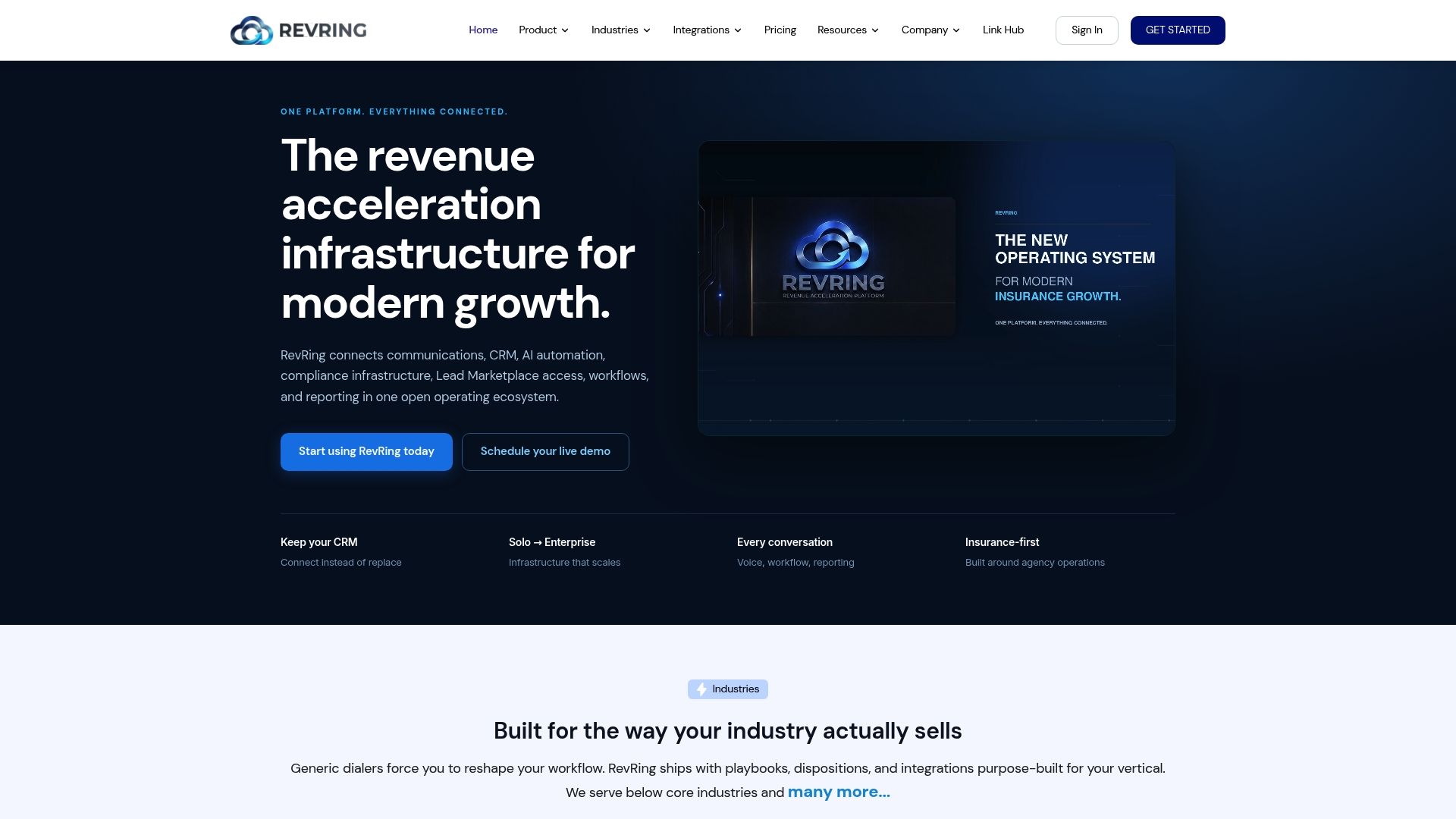
Firms that want intake automation without rebuilding their existing stack from scratch have a real option in RevRing. Its industry-tailored playbooks and compliance infrastructure are built for regulated sectors, legal included, and its CRM connectivity means intake data flows into the systems a firm already runs rather than forcing a switch.
For firms ready to move, the practical next steps look like this:
- Review the Starter, Scale, and Pro plans to match features against your intake volume.
- Walk through how RevRing’s platform works before committing to a pilot.
- Start with a narrow scope: one practice area, minimal intake fields, a defined retention rule, then expand once the numbers hold up.
For phone-based intake specifically, an AI receptionist can handle after-hours calls and booking, a useful complement to whichever core system you choose. Request a demo through RevRing’s how it works page to see the workflow in action.
Where to Verify the Ethics and Security Details
For the exact language behind the rules discussed here, go to the primary sources directly: ABA Formal Opinion 512 on AI supervision, ABA commentary on Model Rule 1.18 and conflicts, and the FTC’s Start with Security guidance on data handling. For deployment-specific compliance steps, Tekkr’s guidance on data minimization covers what to verify with any AI vendor.
This article is general information, not a substitute for advice from a qualified lawyer. Consult a qualified legal professional about your own circumstances before acting on anything here.
Sources
FAQ
What does “legal automation” mean?
Legal automation refers to using software and AI tools to handle repetitive tasks in a law practice, such as intake triage, scheduling, document collection, and matter creation, while lawyers retain responsibility for judgment calls and ethical compliance. It spans everything from simple form logic to conversational AI, always under the supervision requirements set out in ABA Formal Opinion 512.
Is there a legal version of ChatGPT?
There is no single official “legal ChatGPT,” but a growing set of AI tools are built specifically for legal work, including intake triage, drafting support, and research assistance. Whichever tool a firm uses, ABA Formal Opinion 512 requires the same supervision and verification standards that apply to any AI use in practice.
What is the 80/20 rule for lawyers?
The Pareto principle generally refers to focusing effort on the small share of clients, matters, or tasks that generate most of a firm’s results, a principle firms often apply when deciding which intake steps to automate first. Applied to intake, it usually means automating the high-volume, repetitive screening work so lawyers can spend their time on the matters and decisions that actually need their judgment.
How to make $500,000 a year as a lawyer?
Income at that level typically comes from a combination of practice area, matter volume, and efficient operations, including intake systems that reduce lost leads and speed up how quickly qualified prospects become paying clients. There is no single path, but firms that respond faster and qualify leads more consistently tend to convert more of their inquiries into billable matters.
What should I check before choosing an intake automation vendor?
Verify encryption in transit and at rest, role-based access controls, audit logs, and clear retention and deletion rules before signing a contract, since the FTC’s Start with Security guidance treats these as baseline expectations rather than extras. Also confirm the vendor supports conflicts-first data collection, so the intake form itself does not create the exposure it is meant to prevent.