4 KPIs to Cut No-Shows with Appointment Reminder Automation for Clinics

Appointment reminder automation works by sending multichannel, two-way messages across SMS, email, and voice that sync with your calendar or CRM, letting patients and clients confirm, cancel, or reschedule without a phone call. Practices that deploy it report meaningfully fewer no-shows and less staff time on manual outreach. Platforms like RevRing package this into one connected system rather than a patchwork of separate tools.
TL;DR:
- Platforms must offer native, multi-channel (SMS, email, voice) support with customizable templates for each appointment type to ensure effective communication.
- Two-way messaging and dynamic scheduling logic are crucial features that significantly reduce no-shows and enable automatic waitlist fill-ins.
- Integration with calendar, CRM, booking pages, and EHR systems must be tested thoroughly through a pilot before full deployment, with a focus on automating status updates across all systems.
- HIPAA compliance requires vendor signing BAAs, encrypted communication, and handling PHI carefully, especially when messages contain sensitive health details.
- A staged pilot focusing on high no-show risk groups helps identify system issues early, with setup typically taking one to three weeks depending on organizational readiness.
Table of Contents
- What Core Features Should Appointment Reminder Automation Include?
- Which Channels and Timing Cut No-Shows the Most?
- How Do Calendar, CRM, and Booking Integrations Fit Together?
- Are Appointment Reminders HIPAA Compliant, and What Else Do You Need to Know?
- What KPIs and ROI Should You Track?
- How Do You Pilot Appointment Reminder Automation Successfully?
- What Does RevRing Offer for Appointment Reminder Automation?
- How Long Does Setup Actually Take?
- What Do Pricing Models Actually Look Like?
- How Do You Protect Client Data Beyond Basic Compliance?
- What Goes Wrong Most Often With Reminder Automation?
- Editorial Take: What the Conventional Advice Gets Wrong
- Where RevRing Fits Once You’re Ready to Automate
- Sources
What Core Features Should Appointment Reminder Automation Include?
Not every “reminder tool” on the market does the same job. Before you commit budget to appointment reminder automation, confirm the platform handles the following without add-on hacks or manual workarounds.
Channel coverage and templating. You need SMS, email, and voice available from one dashboard, with templates you can edit per appointment type. A dental cleaning reminder should read differently than a pre-surgical instruction call.
Two-way replies. One-way blasts tell someone about an appointment. Two-way messaging lets them act on it, confirm, cancel, or ask to reschedule, and automatically triggers a waitlist fill when a slot opens. That single feature separates a basic notification service from real appointment sms reminders infrastructure.
Scheduling logic and variables. The system should let you set rules by appointment type (a 15-minute consult doesn’t need the same lead time as a 90-minute procedure), and pull in dynamic fields like provider name, location, or prep instructions.
Here’s what to check before signing a contract:
- Native SMS, email, and voice, not SMS with email “coming soon”
- Two-way confirm/cancel/reschedule built in, not bolted on through a third-party integration
- Custom cadence rules per appointment type or service line
- Merge fields for provider, location, balance due, and prep instructions
- Waitlist auto-fill triggered by cancellation replies
Skip any platform that can’t demonstrate all five in a live demo. Vendors love to show a polished SMS reminder and quietly skip the two-way piece, which is where most of the no-show reduction actually happens.
Which Channels and Timing Cut No-Shows the Most?
Channel choice isn’t a preference question, it’s a message-type question. Urgent, time-sensitive changes (a provider running 40 minutes late, a same-day cancellation) belong on voice or SMS, which get read within minutes. Informational reminders (appointment confirmations, prep instructions, billing notices) work fine on email, where people expect more detail and don’t need instant action.
Research on healthcare-specific programs backs this up: two-way, multichannel reminders outperform single one-way texts for both attendance and rescheduling. A text alone gets ignored more often than a text followed by a voice call if there’s no response.
A cadence that works across most industries looks like this:
- Seven days out: Email confirmation with full appointment details and any prep steps.
- Two to three days out: SMS reminder with a one-tap confirm/reschedule link.
- 24 hours out: Second SMS if no response, escalating urgency slightly.
- Same day, two to three hours prior: Voice call or automated voice reminder for no-response contacts, especially for high-value or clinical appointments.
Escalation matters more than volume. A single unanswered text should trigger a channel switch, not a repeat text.
Segmentation improves response rates further. New patients respond better to slightly longer, more explanatory messages. Repeat clients or long-term patients often prefer a short SMS with no fluff.
Pro Tip: Segment your highest no-show risk group (typically new patients, first-time bookings, and afternoon slots) and give that group one extra touchpoint in the cadence. It costs almost nothing and it’s where most missed appointments concentrate.
How Do Calendar, CRM, and Booking Integrations Fit Together?
Reminder automation is only as reliable as the systems feeding it dates, contact info, and status changes. A message sent to the wrong appointment time because your calendar didn’t sync isn’t a minor bug, it erodes trust in the whole system.
The integrations that actually move the needle:
- Two-way calendar sync (Google Calendar, Outlook) so reschedules update automatically instead of creating duplicate bookings.
- CRM connectivity so confirmations, cancellations, and reschedule requests write back to the contact record automatically. A platform like ZinCRM centralizes this so front-desk staff aren’t toggling between four screens.
- Booking page integration so a client who reschedules through a public link gets an instant confirmation, not a delayed manual update.
- EHR connectivity for healthcare practices, where tying reminders to the electronic health record improves adherence more than standalone SMS tools.
When a reply comes in confirming or canceling, that status needs to hit three places automatically: the calendar (freeing or holding the slot), the CRM (logging the interaction), and a staff alert queue for anything that needs a human follow-up, like a cancellation on a high-value appointment.
The most common integration failure isn’t a broken API, it’s untested edge cases: a client replies “yes” instead of tapping the confirm link, or replies in a format the parser doesn’t recognize. Run a two-week test batch with real staff replies before full rollout, and check that ambiguous responses route to a human instead of getting silently dropped.
Are Appointment Reminders HIPAA Compliant, and What Else Do You Need to Know?
Compliance isn’t optional paperwork here, it’s the difference between a functioning system and a legal liability. Three frameworks matter most.
TCPA consent. The Telephone Consumer Protection Act requires documented consent before you send automated texts or calls, and you need a recorded opt-out process. The FCC’s guidance on robocalls and texts makes clear that a working “STOP” keyword and honored opt-outs are the baseline, not a bonus feature.
HIPAA appointment reminders. So, are appointment reminders HIPAA compliant by default? No, not automatically. The moment a message includes protected health information beyond a bare appointment time (a diagnosis, a provider specialty that reveals a condition, a treatment name), you’re handling PHI. Text appointment reminders HIPAA compliance requires a signed Business Associate Agreement (BAA) with your vendor and encrypted message handling. If you’re evaluating hipaa compliant appointment reminders, ask directly whether the vendor signs a BAA, not whether they’re “HIPAA aware.”
Deliverability. Carrier filtering blocks spammy-looking or unregistered sender content before it ever reaches a phone.
- Register sender IDs and use consistent, non-spoofed numbers
- Avoid ALL CAPS, excessive links, or shortened URLs that trigger spam filters
- Keep opt-out language visible in every text (“Reply STOP to opt out”)
- Monitor carrier delivery reports weekly, not just after complaints roll in
Vendor no-show reduction claims vary widely across marketing pages, so treat any “up to X%” figure as a starting hypothesis to test in your own pilot, not a guarantee.
What KPIs and ROI Should You Track?
Four metrics tell you almost everything about whether your reminder automation is working:
- No-show rate: total missed appointments divided by total scheduled, tracked weekly
- Confirmation rate: percentage of reminders that get an active reply, not just a delivery receipt
- Reschedule rate: how many no-show risks convert to a rebooked slot instead of a blank one
- Fill/backfill rate: how quickly a canceled slot gets refilled from a waitlist
Published improvement ranges vary by industry and baseline no-show rate, so treat any single vendor’s headline percentage cautiously; a clinic with a 30% baseline no-show rate has more room to improve than one already at 8%.
A simple ROI model you can run today: if your average appointment is worth $150 in revenue, and automation reduces no-shows by 10 appointments a month, that’s $1,500 in recovered revenue. Compare that against your monthly platform cost and staff hours saved on manual reminder calls. Most practices break even within the first month once the reschedule and fill rate improve.
How Do You Pilot Appointment Reminder Automation Successfully?
Rolling out automated appointment reminders across an entire operation on day one is how projects stall. A staged pilot surfaces problems while the stakes are still low.
- Audit your data and consent records. Confirm you have documented opt-in for every contact you plan to message; missing consent is the single most common compliance gap.
- Choose one test segment. Pick a single location, provider, or appointment type, ideally one with a known no-show problem.
- Connect calendar and CRM first. Don’t build message templates until the underlying sync is verified and tested.
- Build your cadence and templates. Start with the escalating sequence outlined earlier and customize the tone per appointment type.
- Test end-to-end with staff as recipients. Confirm replies route correctly before a single real client sees a message.
- Launch to the pilot segment and track for 30 days. Watch confirmation rate and no-show rate weekly, not just at the end.
- Assign ownership. One person owns template updates, one owns opt-out compliance, one owns escalation to staff for unresolved replies.
Pro Tip: Run your pilot on your highest no-show appointment type, not your easiest one. A clean result on a low-risk segment tells you little; a strong result where no-shows already hurt tells you the system works.
What Does RevRing Offer for Appointment Reminder Automation?
RevRing was built around the reality that reminder automation can’t live in a silo, it has to talk to your dialer, your CRM, and your compliance infrastructure at the same time. That’s the gap most standalone reminder tools leave open.
Here’s what the platform brings to the table:
- Built-in appointment and reminder automation that runs alongside outbound calling, so a missed reminder can trigger an agent follow-up instead of just another automated text.
- ZinCRM integration that logs every confirmation, cancellation, or reschedule directly to the contact record, no manual data entry between systems.
- AI-driven workflow automation tailored to insurance, real estate, healthcare, and legal intake, where appointment types and compliance needs differ significantly.
- Compliance infrastructure covering TCPA, DNC, and HIPAA BAA support, so hipaa compliant appointment reminders aren’t a separate project bolted onto your core platform.
- A predictive dialer that connects to the same reminder workflows, useful when a no-show risk needs a live call, not just another text.
One RevRing client scaled from 12 agents to 180 without losing compliance controls or rebuilding their workflow from scratch, a practical example of infrastructure that holds up under real growth rather than breaking at scale. For teams evaluating best hipaa appointment reminders options, the insurance industry page walks through how regulated intake teams structure their reminder and follow-up sequences specifically.
How Long Does Setup Actually Take?
Setup time is the single biggest variable between a reminder automation project that launches in a week and one that stalls for a quarter. The difference almost always comes down to how much manual data mapping is required before the first message goes out.
Platforms with native calendar and CRM sync tend to launch fastest. User feedback on reminder platforms consistently flags quick setup and reliable calendar sync as decisive factors in why organizations stick with a tool past the trial period. That tracks with what happens in practice: a system that requires custom API work to connect your existing calendar adds weeks, while one with pre-built connectors can be live in days.
Expect a realistic timeline of one to three weeks for a mid-sized operation: a few days for calendar and CRM connection and testing, a few more for template building and staff training, and a short pilot window before full rollout. Solo practices or single-location businesses often move faster, sometimes going live within days once consent records are in order.
The biggest onboarding delay isn’t technical, it’s organizational. Practices that assign one clear owner for templates, opt-outs, and escalation before kickoff move through setup noticeably faster than those trying to build consensus mid-rollout. Decide who owns the reminder system before you touch the software.
What Do Pricing Models Actually Look Like?
Appointment reminder pricing generally falls into three shapes: per-message pricing, per-seat subscription pricing, and bundled platform pricing where reminders are one feature inside a larger communication suite.
Per-message pricing charges a small fee per SMS or voice reminder sent, which scales cleanly for low-volume operations but can get expensive fast once you’re running multitouch cadences across hundreds of appointments monthly. Per-seat subscription pricing charges by user or admin login, which suits practices where a handful of staff manage reminders for a much larger client base. Bundled pricing, common in platforms like RevRing that combine reminders with dialing, CRM, and compliance tools, spreads cost across a wider feature set, often making more sense once you need more than reminders alone.
The right way to evaluate cost isn’t the sticker price, it’s cost against revenue recovered. If a $200 monthly subscription prevents 15 no-shows a month at $150 average appointment value, that’s $2,250 in recovered revenue against $200 in spend, a return most administrators would take on any other line item without hesitation. Check RevRing’s pricing structure against your own no-show math before assuming a cheaper per-message tool is actually the better deal; volume changes that calculation fast.
How Do You Protect Client Data Beyond Basic Compliance?
Passing a compliance checklist doesn’t mean your reminder data is actually secure. TCPA and HIPAA set the legal floor; good data hygiene sits above it.
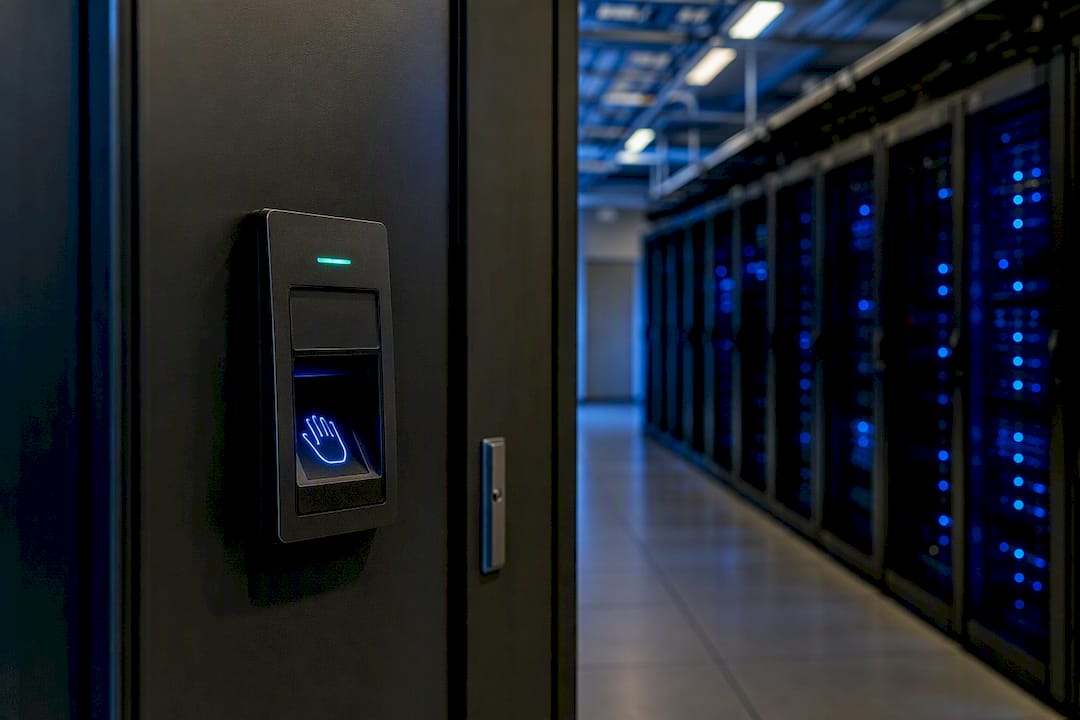
Start with access control. Not every staff member needs visibility into every contact’s message history, and role-based permissions inside your CRM prevent unnecessary exposure. Encrypt data both in transit and at rest, particularly for any message containing appointment details tied to a health condition, legal matter, or financial account. Set a data retention policy that actually gets enforced. Old message logs sitting in a system for years are a liability with no operational upside, and most platforms let you configure automatic archiving or deletion after a set period.
Audit who has vendor-level access, too. Every third-party integration you connect, calendar, CRM, booking page, is a potential access point, and each one should have its own documented purpose. If a vendor can’t explain exactly what data flows to them and why, that’s a red flag worth acting on before signing.
Finally, test your opt-out and data deletion request process the same way you’d test a reminder cadence. A client who asks to be removed from your system should see that request honored within days, not months, both for compliance and for basic trust.
What Goes Wrong Most Often With Reminder Automation?
Most reminder automation failures trace back to a handful of repeatable mistakes, not exotic technical problems.
Sending too many messages, too generically. A cadence with five identical touchpoints and no escalation logic trains recipients to ignore all of them. Fix it by varying tone and channel as urgency increases.
Treating delivery as confirmation. A message marked “delivered” isn’t the same as read or acted on. Track actual reply and confirmation rates, not just send logs.
Skipping the consent audit. Practices that migrate contact lists from an old system often carry over numbers without documented opt-in, creating TCPA exposure the moment automation goes live.
Ignoring ambiguous replies. A client who texts back “can we do Tuesday instead?” instead of tapping a structured link needs to route to a human, not vanish into an unmonitored inbox.
Underestimating carrier filtering. A sudden drop in delivery rates is usually a sender reputation issue, not a platform bug, and it needs immediate investigation rather than a shrug.
Most of these get caught during a proper pilot phase, which is exactly why skipping the pilot to rush a full rollout tends to backfire.
Editorial Take: What the Conventional Advice Gets Wrong
Most advice on reducing no-shows treats reminders as a messaging problem. Send more texts, add an email, maybe try voice. That framing misses the actual lever: two-way response and system integration matter more than channel count. A five-touch SMS-only sequence with no reply-handling will underperform a three-touch sequence where every reply updates the calendar and alerts staff in real time.
The other blind spot is treating compliance as a checkbox instead of infrastructure. Businesses bolt on a TCPA disclaimer and call it done, then get surprised when an EHR integration surfaces protected health information they weren’t tracking as PHI. Compliance has to be built into the workflow from the start, not audited in afterward.
If you take one thing from this guide, prioritize integration before you prioritize message volume. A connected system with three well-timed touchpoints will outperform a disconnected one sending seven. Start there, measure for 30 days, then scale.
— Marc
Where RevRing Fits Once You’re Ready to Automate
If everything above sounds like what your operation needs, but you don’t want to stitch together a separate SMS tool, a separate CRM, and a separate compliance layer, that’s the exact fragmentation RevRing was built to remove. Instead of managing reminders in one system and follow-up calls in another, RevRing connects appointment automation, ZinCRM, AI workflow automation, and TCPA/HIPAA compliance infrastructure in one place, with playbooks tailored to insurance, real estate, healthcare, and legal intake.
That means your front-desk staff aren’t toggling between four logins to confirm a reschedule, and your compliance team isn’t guessing whether a BAA covers your reminder vendor. One client scaled from 12 agents to 180 on the platform without losing that control. If you’re evaluating what a connected reminder and communication stack looks like for your practice, start with a look at RevRing’s platform and request a walkthrough of the automation tailored to your industry.